
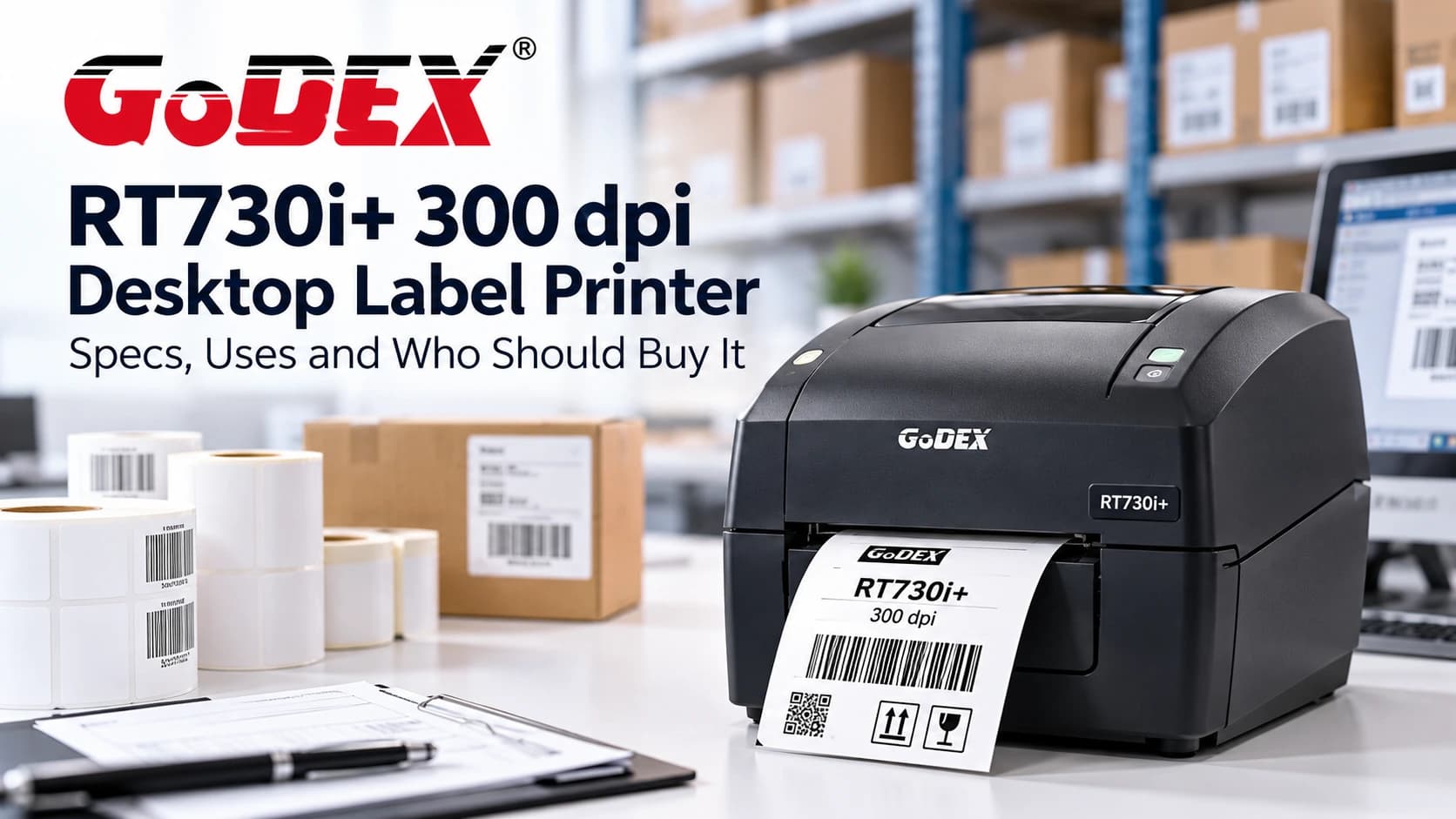
The Godex RT730i+ is a 4-inch desktop label printer that prints at 300 dpi, which makes it a strong choice when your labels carry small text, dense barcodes or fine graphics. If you’ve outgrown a 203 dpi printer, or you print labels that must stay scannable at a small size, this model deserves a close look. This guide covers what the Godex RT730i+ does, its full specifications, how it compares with the RT700i+, and who it suits best.
What is the Godex RT730i+?
The RT730i+ belongs to Godex’s RT series of compact desktop thermal printers. It supports both thermal transfer, which uses a ribbon for durable prints, and direct thermal, which uses heat-sensitive labels and no ribbon. A clamshell body and rod-less label holder make loading media quick. A color display and one-touch calibration button keep setup simple, even for staff who don’t print labels all day.
Key features of the Godex RT730i+
- 300 dpi resolution for sharp small text, 2D codes and fine barcodes
- Thermal transfer and direct thermal printing in one machine
- Up to 5 ips (127 mm/s) print speed
- Color LCD with navigation button for easy configuration
- One-touch “C” button for fast label calibration
- 128 MB Flash and 128 MB SDRAM for larger formats and stored label files
- Ethernet, USB, serial and USB host connectivity as standard
- Free GoLabel software and EZPL, GEPL and GZPL language support
Godex RT730i+ specifications
| Specification | Detail |
|---|---|
| Print method | Thermal transfer / direct thermal |
| Resolution | 300 dpi (12 dots/mm) |
| Print speed | Up to 5 ips (127 mm/s) |
| Print width | Up to 4.16" (105.7 mm) |
| Print length | Min. 0.12" (3 mm); max. 125.98" (3,200 mm) |
| Processor | 32-bit RISC CPU |
| Memory | 128 MB Flash, 128 MB SDRAM |
| Interfaces | USB 2.0 (Type B), serial (RS232), Ethernet 10/100 Mbps, USB host (Type A) |
| Ribbon | Max. length 984 ft (300 m); width 1.18"–4.33" (30–110 mm); 1" (25.4 mm) core |
| Control panel | Color TFT LCD, navigation button, calibration button, FEED key |
Godex RT730i+ vs RT700i+: 300 dpi or 203 dpi?
The two printers share the same body and features. The difference is resolution and speed, so the right choice depends on your labels.
| RT700i+ | RT730i+ | |
| Resolution | 203 dpi | 300 dpi |
| Print speed | Up to 7 ips | Up to 5 ips |
| Print width | 4.25" | 4.16" |
| Best for | Shipping labels, shelf labels, general barcodes | Small text, 2D codes, fine detail |
If your labels are large and simple, such as shipping labels and bin tags, the RT700i+ is usually enough and prints faster. If readability at a small size matters, choose the RT730i+.
Who should buy the Godex RT730i+?
- Healthcare and laboratories. Specimen, medication and patient labels with small text and 2D codes.
- Electronics and manufacturing. Component, serial-number and compliance labels where tiny barcodes must scan reliably.
- Retail and jewelry. Small product and price tags with fine detail.
- Warehouses and logistics. Asset tags and inventory labels that need durable thermal transfer prints.
- Offices and small businesses. Teams that want one desktop printer for several label types.
Setup, software and supplies
Installation is straightforward. Install the driver, connect the printer by USB or Ethernet, and press the calibration button to match your label roll. Godex’s free GoLabel software handles label design, and the printer also accepts EZPL, GEPL and GZPL languages if you use other label software.
For thermal transfer printing, match the ribbon to the label material. Wax ribbons suit paper labels, wax/resin suits coated paper, and resin suits synthetic labels that face heat, chemicals or abrasion. For short-life labels, direct thermal labels remove the ribbon altogether.
FAQs
Q1. Is the Godex RT730i+ 300 dpi?
Yes. It prints at 300 dpi. The RT700i+ is the 203 dpi version.
Q2. Does it print thermal transfer and direct thermal?
Yes. Use ribbon with thermal transfer labels for durable prints, or direct thermal labels when you don’t need ribbon.
Q3. What’s the widest label the RT730i+ can print?
Up to 4.16 inches (105.7 mm).
Q4. How do I connect the RT730i+?
Through USB 2.0, serial, or 10/100 Ethernet. A USB host port is also included.
Q5. Is it suitable for industrial use?
It’s a desktop printer built for light to medium duty. For continuous, high-volume printing, consider an industrial model like the Godex ZX430i+ or EZ6350i.
Where to buy the Godex RT730i+
Cancard Inc is an authorized Godex distributor serving the USA and Canada, with genuine hardware and the manufacturer’s warranty. View the Godex RT730i+, compare other desktop label printers, or contact our team and we’ll recommend the right model for your labels.