
If you've ever stood at a receiving dock watching a label peel off a box mid-scan, you already know why "just get a printer" isn't good enough advice for a warehouse. Warehouse labeling isn't like printing a shipping label at a home office desk. It's thousands of labels a day, adhesives that have to survive cold storage or forklift traffic, and a barcode that still has to scan clean on the fifth read, not just the first. That's the real test for a warehouse barcode printer — not how it performs on day one, but how it holds up on day 300. Get it wrong, and you're not just replacing a printer. You're eating mis-picks, chargebacks from retail partners with strict labeling compliance rules, and hours of manual relabeling that a machine was supposed to eliminate.
This guide breaks down what actually separates a warehouse-grade barcode printer from a desktop one, and which GoDEX models are built for the job.
Why Warehouses Can't Use a Regular Office Printer
A standard desktop label printer is built for moderate volume in a climate-controlled office — a few hundred labels a day, printed at a desk, in a space where nothing is shaking, vibrating, or covered in dust. A warehouse environment breaks almost every one of those assumptions.
Volume is the first problem. Warehouses print labels by the thousand, not the dozen — shipping labels, pallet labels, bin labels, compliance labels. A printer not rated for that duty cycle will fail well before its expected lifespan.
Durability is the second. Warehouses run dusty, sometimes cold, sometimes hot, and printers get bumped, dropped, and run non-stop across shifts. A plastic-housed desktop printer wasn't built to survive that.
Adhesive and print durability matter more here than anywhere else. A label that smears, fades, or lifts off packaging before it reaches its destination isn't just a cosmetic problem — it's a scan failure downstream, and in retail logistics, a scan failure can mean a chargeback.
This is exactly why "industrial" and "desktop" are two different categories, not just two price points.
What to Actually Look for in a Warehouse Barcode Printer
Before comparing specific models, it helps to know what separates a printer that survives a warehouse from one that doesn't.
Print method: thermal transfer vs. direct thermal. Thermal transfer uses a ribbon to print labels that resist heat, light, and abrasion — the right call for labels that need to last (compliance labels, asset tags, outdoor storage). Direct thermal skips the ribbon and is more cost-effective for short-lived labels like standard shipping labels that get scanned once and discarded.
Print speed and duty cycle. A warehouse printing thousands of labels a shift needs a printer engineered for continuous operation, not one rated for a few hours a day.
Build quality. Metal housings and metal printhead mechanisms hold up to drops, dust, and constant use in ways plastic desktop bodies don't.
Connectivity. Ethernet and USB are the baseline for integrating with a warehouse management system (WMS); wireless options add flexibility for mobile picking stations.
Print width. Standard 4-inch printers cover most shipping and bin labels; wider formats (6- to 8-inch) are worth it if you're printing pallet labels or large compliance labels regularly.
Best GoDEX Barcode Printers for Warehouse Use
For high-volume, industrial-duty printing: The GoDEX ZX Series (including the ZX430i and ZX1000i) is built around an all-metal frame and printhead mechanism specifically to survive the kind of continuous, high-volume printing a warehouse floor demands. The ZX1000i's color touchscreen also makes it practical for standalone use at a packing station without a permanent PC connection.
For wide-format pallet and compliance labels: The GoDEX EZ Series (EZ2250i, EZ6250i) covers both standard 4-inch labels and wider formats up to 6 inches, which matters if your operation regularly prints large pallet labels or GHS/compliance labeling alongside standard shipping labels.
For speed-focused, high-throughput operations: The GoDEX GX Series is built around faster print speeds and larger onboard memory, which suits distribution centers where label output volume is the primary bottleneck.
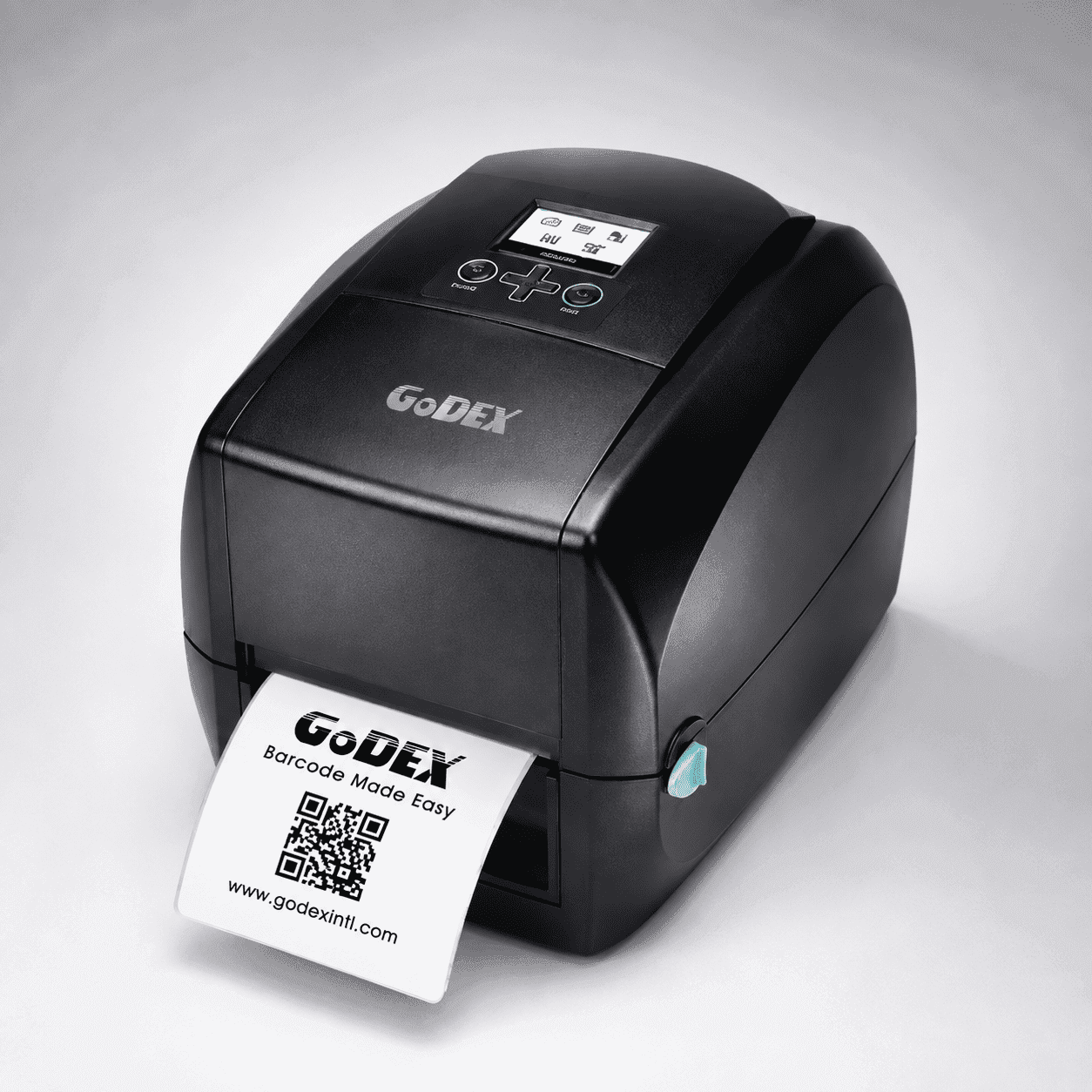
For lighter-duty or satellite locations: The GoDEX RT200i desktop printer, with thermal transfer printing and a color LCD display, is a solid fit for smaller warehouse operations, satellite locations, or receiving desks that don't need full industrial-duty specs but still want reliable barcode output.
Thermal Transfer or Direct Thermal — Which Should Your Warehouse Use?
This comes up constantly, so it's worth answering directly: use thermal transfer for anything that needs to survive handling over time — pallet labels, asset tags, outdoor or cold-storage labels, compliance labels. Use direct thermal for short-lifecycle labels like standard shipping labels that get scanned once at delivery and discarded. Many warehouses run both — thermal transfer for internal and compliance labeling, direct thermal for outbound shipping — which is one more reason connectivity and software compatibility across your printer fleet matters as much as any single spec.
Frequently Asked Questions
What is the best barcode printer for a warehouse? It depends on volume and label type, but industrial-duty printers built with all-metal housings — like the GoDEX ZX or EZ series — are the standard choice for continuous, high-volume warehouse printing. Lower-volume operations can often get by with a desktop model like the RT200i.
What's the difference between thermal transfer and direct thermal printers? Thermal transfer uses a ribbon to produce labels that resist fading, heat, and abrasion, making it ideal for labels that need to last. Direct thermal prints without a ribbon and is more economical for short-lived labels like standard shipping labels.
How many labels can an industrial barcode printer handle per day? Industrial models like the GoDEX ZX and EZ series are built for continuous, high-duty-cycle printing — thousands of labels per shift — versus desktop printers, which are rated for lighter daily volume.
Do warehouse barcode printers need Ethernet connectivity? Most do. Ethernet lets the printer integrate directly with a warehouse management system (WMS) for automated label generation, which is standard in most modern warehouse operations.
Can one printer handle both shipping labels and pallet labels? Some can, depending on print width and ribbon type, but many warehouses run separate printers — a standard 4-inch model for shipping labels and a wider-format model for pallet or compliance labels — for better efficiency.
Get the Right Printer for Your Warehouse
Choosing between industrial and desktop, thermal transfer and direct thermal, 4-inch and wide-format — it comes down to your actual print volume, label type, and environment. GoDEX offers a printer for each of these needs, distributed through Cancard with full setup and technical support.
Browse Industrial Printers — built for high-volume, continuous warehouse printing.
Browse Desktop Printers — a fit for lighter-duty stations and satellite locations.
Talk to a Specialist — not sure which model fits your operation? Get a recommendation based on your actual volume and label types.
Call 855-949-1110 or email sales@cancard.com to get started.