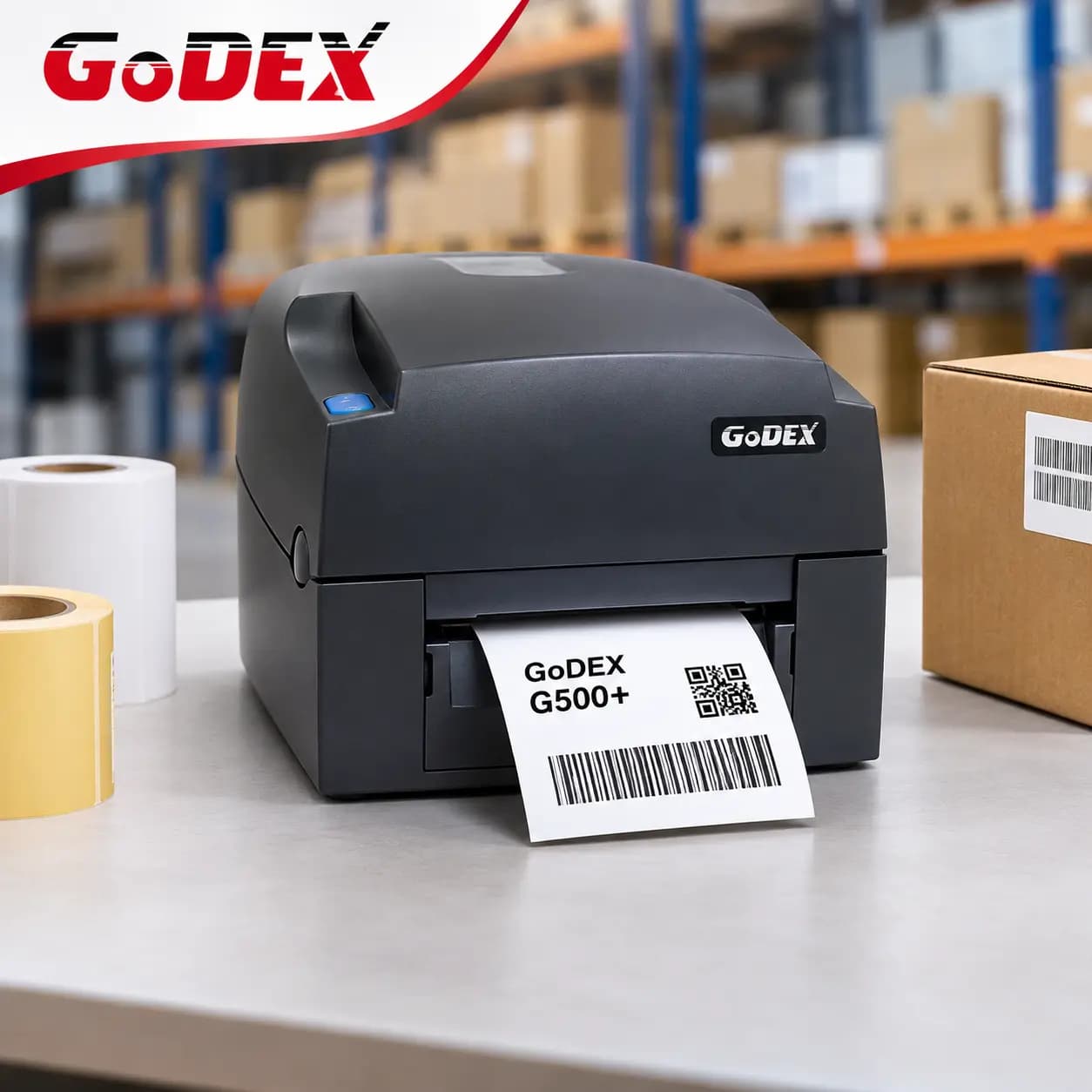
The Godex G500+ is a 4-inch desktop label printer that prints at 203 dpi, reaches 6 inches per second, and carries 128 MB of Flash and 128 MB of SDRAM. It’s Godex’s affordable workhorse for warehouses, retail counters and back offices that print barcode labels all day without paying industrial-printer prices. This guide covers what the Godex G500+ does, its full specifications, how it compares with the G530+, the older G500 and the RT700i+, and who it suits best.
What is the Godex G500+?
The G500+ is a desktop thermal transfer and direct thermal label printer with a classic drop-in design. Thermal transfer uses a ribbon to produce durable prints that resist smudging and fading, while direct thermal uses heat-sensitive labels with no ribbon. The G500+ supports both, so one printer can handle shipping labels, shelf labels, product labels and ID labels.
Key features of the Godex G500+
Faster printing, bigger memory
The G500+ prints up to 6 ips (152 mm/s), faster than the 5 ips of the older G500. It also has 128 MB Flash and 128 MB SDRAM, versus 8 MB and 16 MB on the previous generation. That extra memory stores more label formats, fonts and graphics, and keeps larger jobs running smoothly. It ships with pre-installed TTF fonts, including Western and Asian languages.
Twin sensors for multi-row labels
Two see-through sensors adapt to different label layouts, whether single-row or double-row. The printer auto-senses label height, so you spend less time configuring each new roll. The sensor set also includes an adjustable reflective sensor and a fixed transmissive sensor, so it handles gap labels, black marks, continuous forms and punched holes.
One-button calibration
On older models, calibrating meant shutting down and holding the FEED key during power-up. The G500+ has a dedicated quick-calibration button. Load labels and ribbon, press it, and the printer recognizes them.
Large ribbon and label capacity
The ribbon holds up to 300 m (984 ft). With a typical 3-inch label and a small gap, that’s roughly 3,700 labels per ribbon (my estimate from the ribbon length). Label rolls can be up to 5 inches in diameter, and the optional external label stand fits even larger rolls.
Connectivity that fits most setups
Interfaces include USB 2.0, serial (RS-232), Ethernet 10/100 and two USB host ports. An optional Wi-Fi and Bluetooth (BLE 5.0) combo module adds wireless connectivity, installed by a dealer.
Godex G500+ specifications
Godex G500+ vs G530+, G500 and RT700i+
The G530+ is the same printer at 300 dpi, a better fit for small text and dense 2D codes. The RT700i+ costs more but adds a color display, a third USB host port and faster speed. For standard shipping, shelf and product labels, the G500+ gives you the core features at the lowest price in the line.
Who should buy the Godex G500+?
Godex positions the G500+ for three everyday settings:
Warehouses. Shelf labels, product labels, stock management and pallet labels.
Retail. Price tags, content labels and postage labels.
Administration. ID cards, document and records management, library labels and similar jobs.
It’s a good fit when you print steady, moderate volumes and want durable thermal transfer prints. For continuous, high-volume production, consider an industrial printer such as the ZX420i+.
Choosing ribbons and labels
For thermal transfer printing, match the ribbon to the label material. Wax ribbons are the economical choice for paper labels, wax/resin ribbons give better durability on coated paper, and resin ribbons suit synthetic labels exposed to heat, chemicals or abrasion. If you only need short-life labels, use direct thermal labels and skip the ribbon.
The G500+ accepts labels from 1 to 4.65 inches wide, so confirm your label width and core size before ordering.
Options and accessories
Available extras include a cutter module, label dispenser, real-time clock, Wi-Fi/Bluetooth combo module, external label unwind stand and external label rewinder. Cutter, dispenser, Bluetooth, Wi-Fi and clock modules are dealer-installed.
Setup and software
Setup is quick: install the driver, connect by USB or Ethernet, load labels and ribbon, and press the calibration button. Godex’s free GoLabel II software handles label design, GoUtility lets you monitor printer status and deploy settings to several printers, and GoTools and GoApp support Windows, Android and iOS.
Godex G500+ FAQs
Q1. Is the Godex G500+ 203 or 300 dpi?
203 dpi. The 300 dpi version is the G530+.
Q2. How fast is the G500+?
Up to 6 ips (152 mm/s), a step up from the older G500’s 5 ips.
Q3. How wide can the G500+ print?
Up to 4.25 inches (108 mm), on media up to 4.65 inches (118 mm) wide.
Q4. Does the G500+ have Wi-Fi?
Not built in. An optional Wi-Fi and Bluetooth combo module is available and dealer-installed.
Q5. Does it print thermal transfer and direct thermal?
Yes, both.
Q6. What’s the difference between the G500+ and the G500?
The G500+ is faster (6 vs 5 ips), has far more memory (128 MB vs 8/16 MB), adds a quick-calibration button and gives you two USB host ports.
Where to buy the Godex G500+
Cancard Inc is an authorized Godex distributor serving the USA and Canada, with genuine hardware and the manufacturer’s warranty. View the Godex G500+, compare other desktop label printers, or contact our team and we’ll recommend the right model for your labels.